Skip to content
Product
FeaturesEverything the app does, feature by feature IntegrationsWorks with your gate, security and managing agent AGM meetings and votingQuorum, proxies and votes, in the hall or online PricingFrom R10 per property per month
Who it’s for
Trustees and directorsRun the scheme without the WhatsApp chaos Estate managersOne dashboard for the whole estate Property managersOne portal for the communities you manage ResidentsGet the app for your estate PartnersFor access control and security providers
Resources
BlogArticles on running a community scheme
Help Contact
Log in
Residents and estate managersLog in to your estate Property managersFor managing agents
  1. Help centre
  2. Guides
  3. Find a service provider and ask for a quote
Search the help centre
GuideFor residents

Find a service provider and ask for a quote

Tap SERVICES to browse local providers by category, then call one or send a quote request. The provider calls or emails you back.

Checked for app version 4.37.1Updated 15 November 2026

In short
  • Tap SERVICES at the bottom of your home screen and choose a category.
  • Open a provider and tap Call, or tap Quote to send a request.
  • The provider replies to you directly, by phone or email.
  1. Find a service provider and ask for a quote

    Browse local providers by category, then call them or send a quote request from the app.

    1. Tap SERVICES. At the bottom of your home screen.
    2. Choose a category. Then a provider.
    3. Quote or Call. The provider replies to you directly.
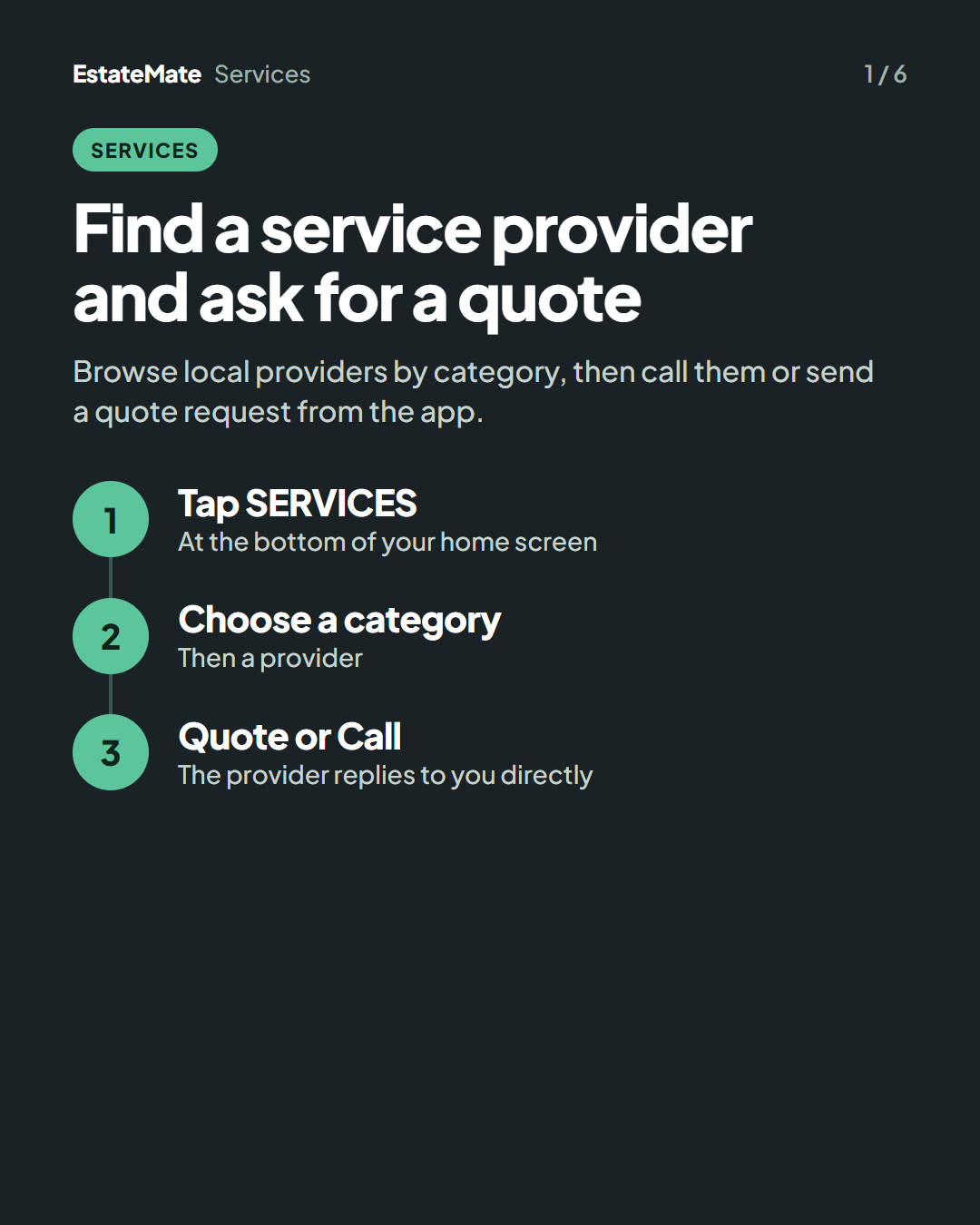
    Cover card on a dark background with three numbered steps joined by a line: tap SERVICES, choose a category, quote or call.
  2. Step 1: open Services

    1. Tap SERVICES at the bottom of your home screen.
    2. Preferred Providers are listed at the top.
    3. Tap a category, such as Cleaning Service.
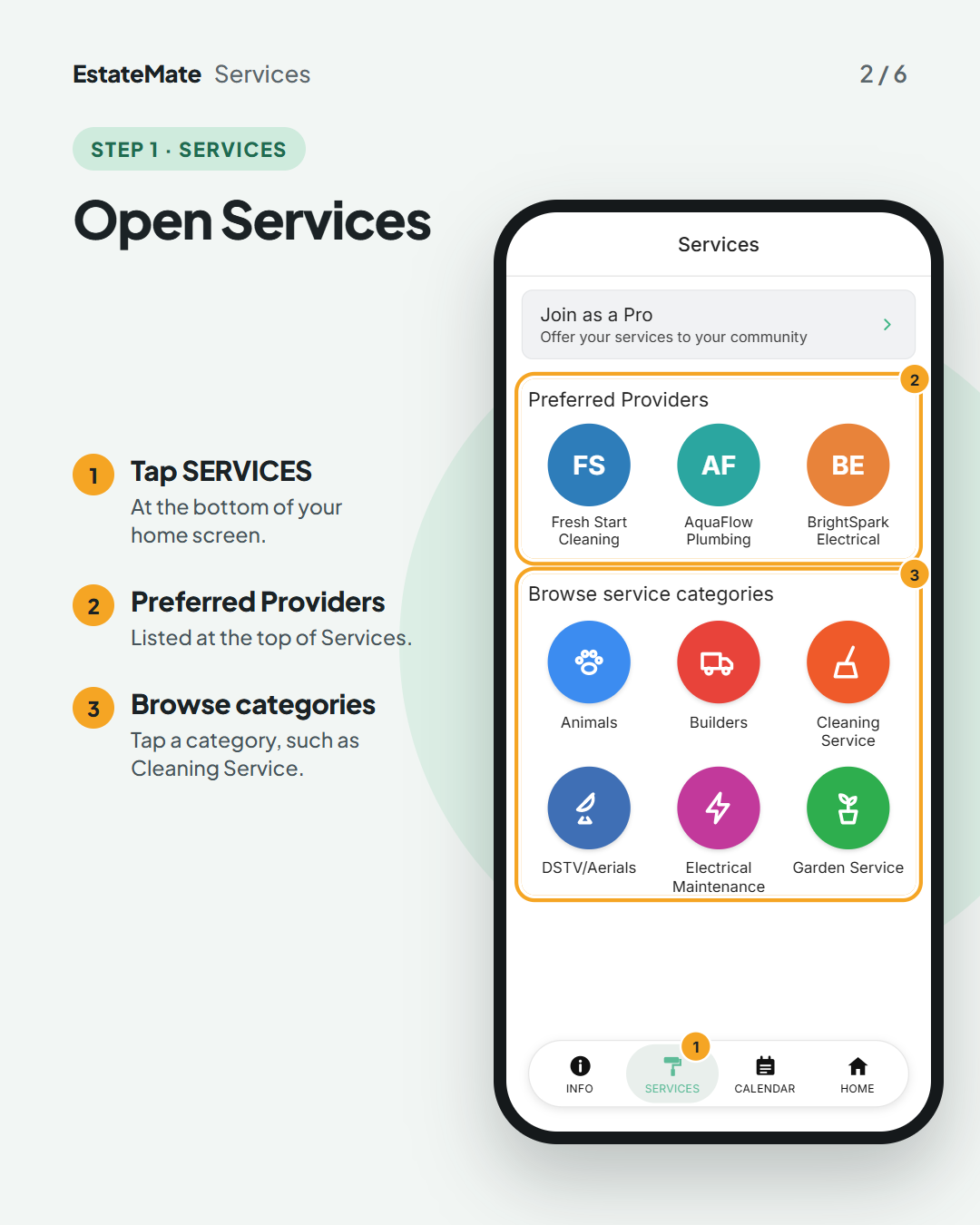
    The Services screen with Join as a Pro at the top, then Preferred Providers with three sample providers, circled and marked 2, and Browse service categories with Animals, Builders, Cleaning Service, DSTV/Aerials, Electrical Maintenance and Garden Service, circled and marked 3. SERVICES in the bottom bar is marked 1.
  3. Step 2: call the provider or ask for a quote

    Each provider shows their name, number, email and website.

    • Tap Call to phone them straight away.
    • Tap Quote to open a quote request form.
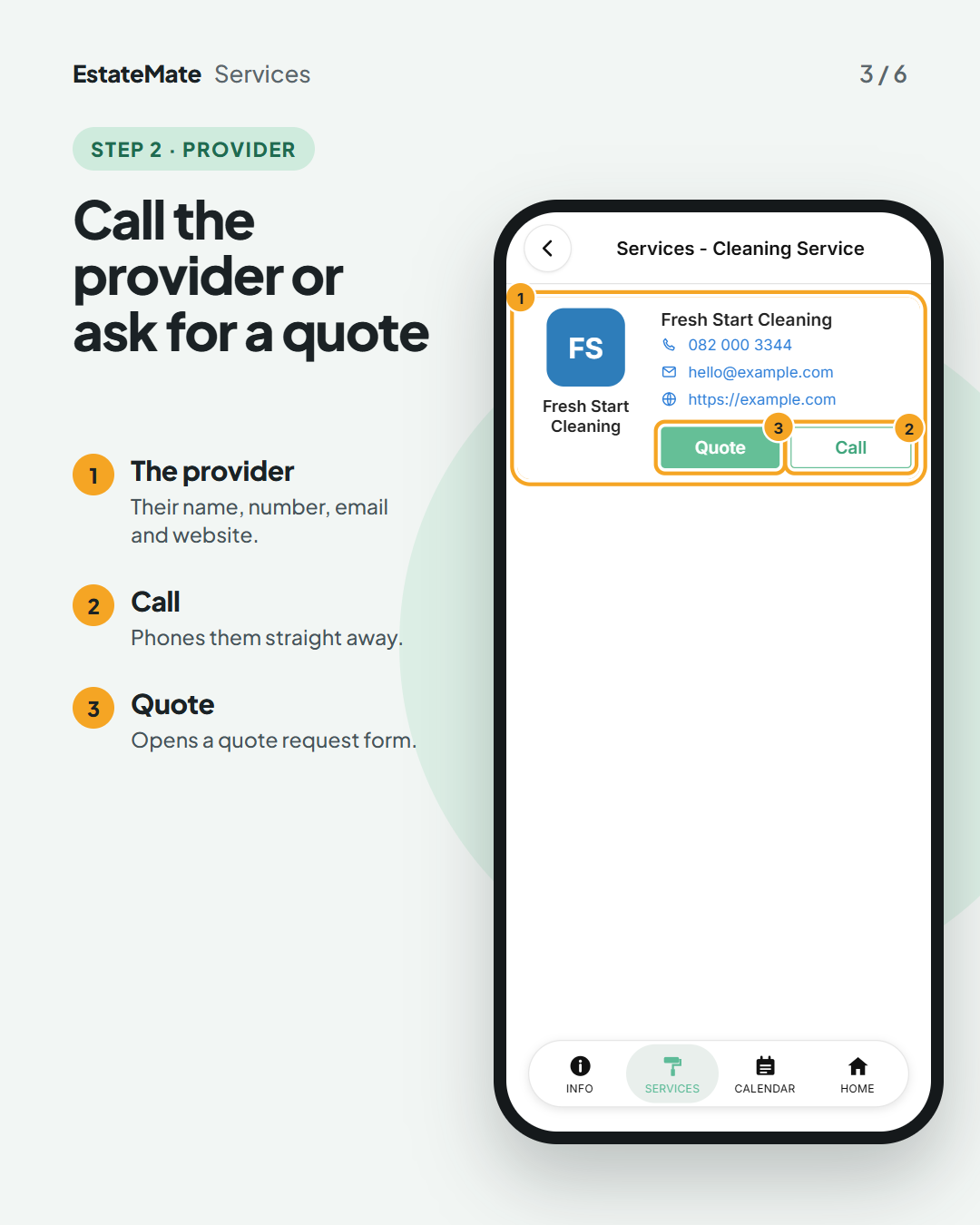
    The Services - Cleaning Service screen with one sample provider, Fresh Start Cleaning, with a logo, phone number, email address and website, circled and marked 1. The green Quote button is marked 3 and the Call button 2.
  4. Step 3: tell them what you need

    1. Give the job a short title.
    2. Pick a date and time, or Earliest Possible.
    3. Set the urgency, add a photo if it helps, describe the job, then send it.
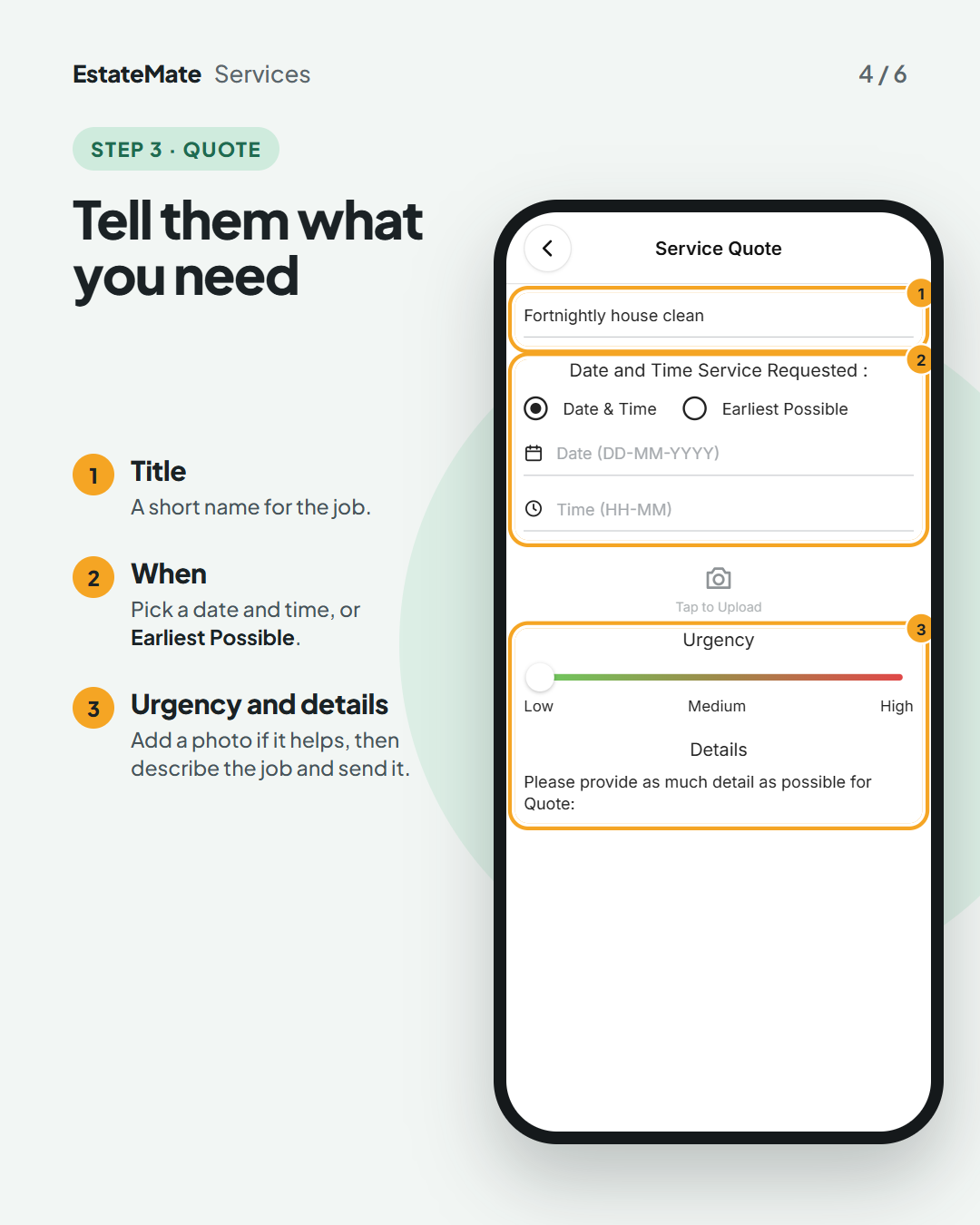
    The Service Quote form with the sample title Fortnightly house clean, marked 1; Date and Time Service Requested with Date & Time selected and empty date and time fields, marked 2; Tap to Upload; and an Urgency slider from Low to High with the Details field, marked 3.
  5. What happens next: the provider gets back to you

    Your request goes to the provider you chose. They reply to you directly, by phone or email.

    Join as a Pro, at the top of Services, is for people who offer a service. You don't need it to ask for a quote.
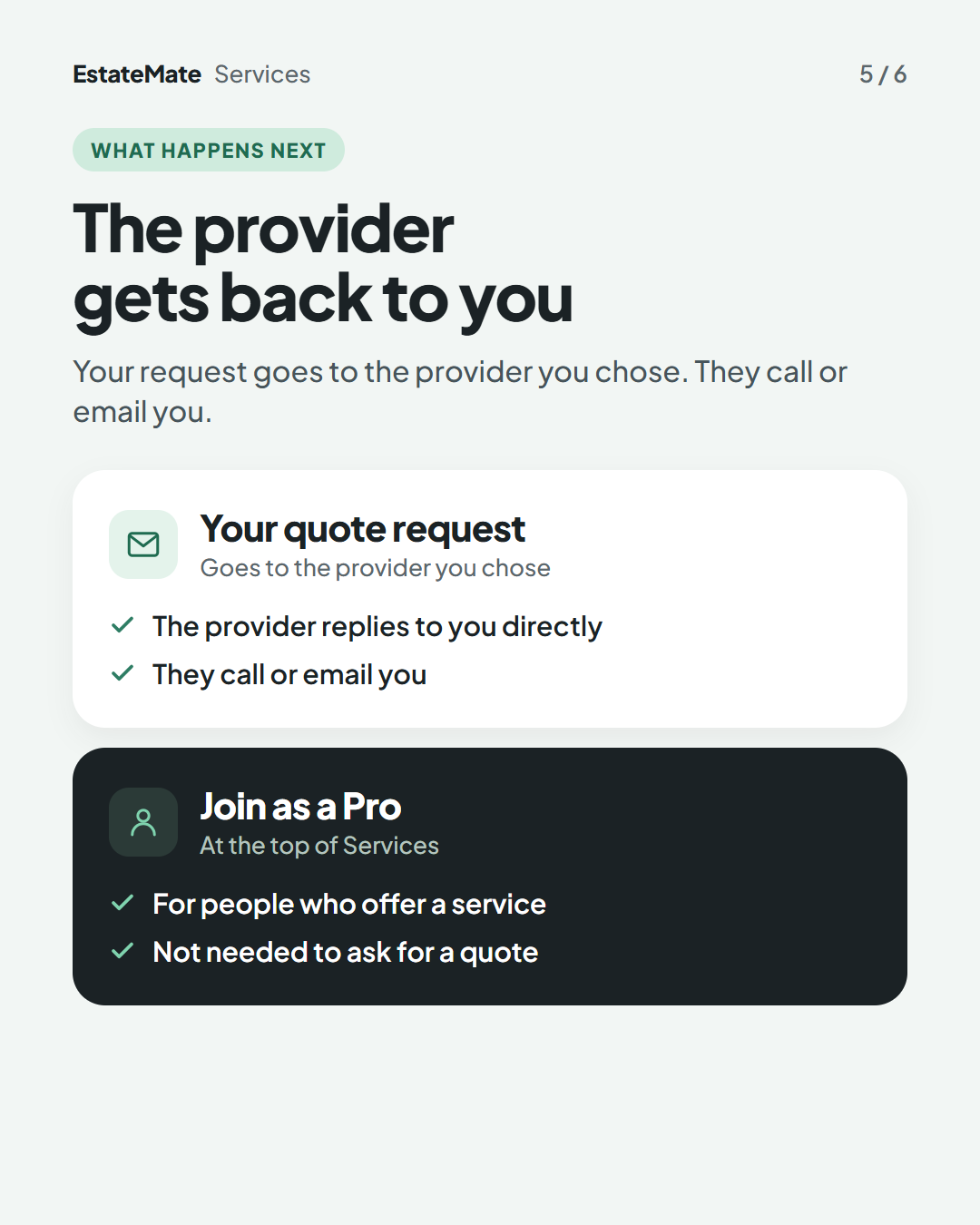
    Two stacked panels. The white panel, Your quote request, says it goes to the provider you chose, who replies to you directly by phone or email. The dark panel, Join as a Pro, says it is for people who offer a service and is not needed to ask for a quote.
  6. We're listening

    We don't always get it right first time. Building something flexible enough for hundreds of communities, each with its own way of doing things, is always a good challenge. Your feedback is how we make it better. If something feels harder than it should, please let us know at support@estatemate.co.za.
    Closing card on a dark background: Tell us how it's working for you, with the support email address and the sign-off The EstateMate team.

Still stuck?

Send us a request. We’ll know you were reading this guide, so you won’t have to explain where you are.

Submit a request